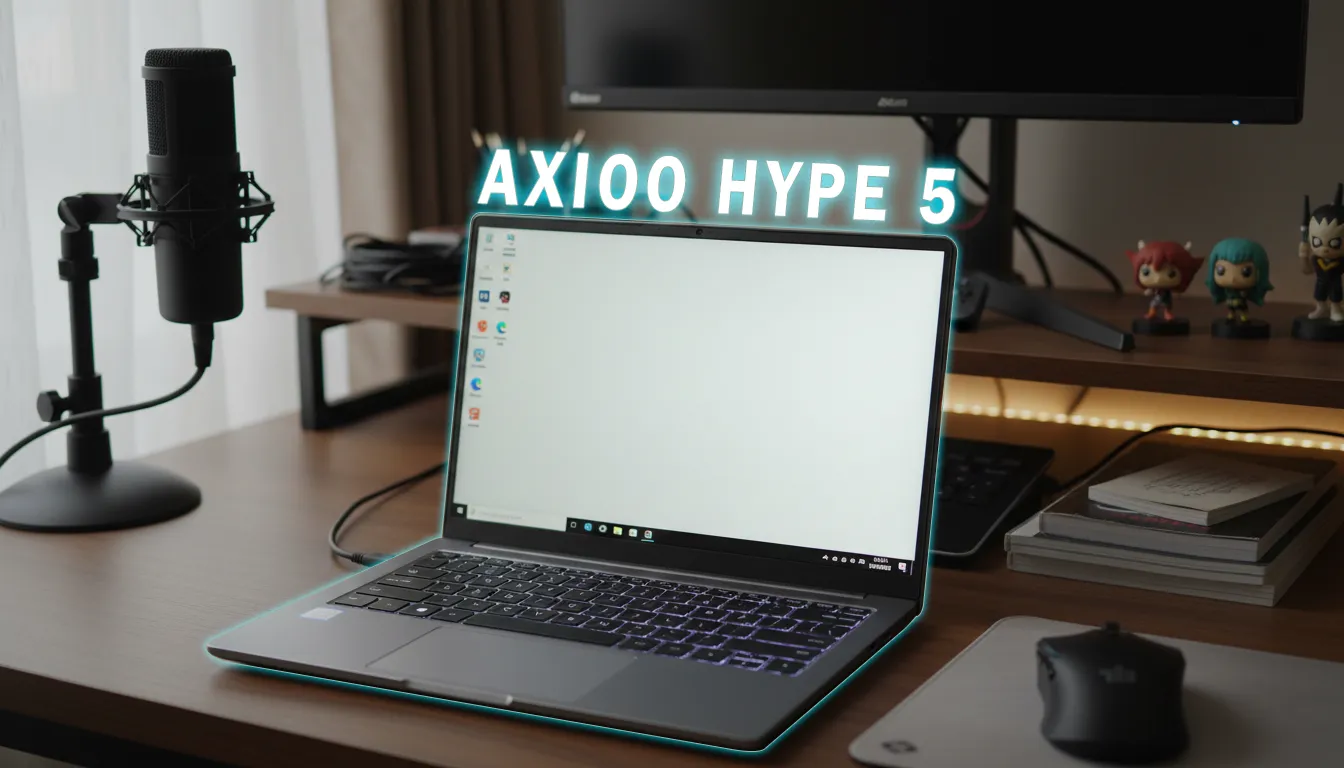
Ever been in a situation where you’re looking for a laptop that can handle serious work but also let you game occasionally? Well, in the 10 million rupiah price range, finding options that can game while staying portable is like finding a needle in a haystack. The Axioo Hype AI 5 comes with an “AI-ready” label and Intel Core Ultra 5 125H processor. But the question is: can this laptop actually run Genshin Impact or Valorant smoothly? Let’s dive in.
Verdict Editorial
Sintesis opini reviewer gadget yang menyoroti kelebihan dan kompromi utama.
Best for:
- Students and professionals who need a productive yet lightweight laptop
- Casual gamers who only play light esports titles between activities
- Those curious about local AI features (NPU) without breaking the bank
Not ideal for:
- Hardcore gamers who need high performance for AAA games or competitive esports at maximum settings
Final verdict: Axioo Hype AI 5 is worth it if your main priority is portability and productivity, with the caveat that you’ll need to compromise on screen quality and standard RAM.
Axioo Hype AI 5 Quick Specs
| Specification | Details | Explanation |
|---|---|---|
| Processor | Intel Core Ultra 5 125H (14 Core, 18 Thread) | Solid CPU performance for productivity and multitasking |
| GPU | Intel Arc | Integrated graphics, sufficient for casual gaming |
| NPU | Yes | Supports local AI features like background blur and AI Assistant |
| RAM | 8GB DDR5 (upgradeable, dual slot) | Standard for light multitasking, fortunately upgradeable |
| Storage | 256GB NVMe SSD Gen 4 | Enough for system and several light games |
| Display | 14-inch IPS, Full HD+ (1920x1200), 16:10 | Wide workspace, but limited color gamut (71% sRGB, 53% DCI-P3) |
| Weight | 1.25 kg | Super lightweight, easy to carry anywhere |
| Connectivity | USB-A, USB-C, HDMI, audio jack | Complete standard ports |
| Warranty | 1 year + extra ADP, free lifetime cleaning and repaste service | Attractive after-sales service |
Casual Gaming Performance: How Fast Is It Really?
Okay, this is the most anticipated part. Based on testing conducted, the Axioo Hype AI 5 was tested with two popular games on low settings. The results?
- Genshin Impact: Gets 55–60 fps on lowest settings (lowest 60 fps setting). Pretty stable for exploring Teyvat, though it might drop a bit when entering crowded areas like cities.
- Valorant: Can reach 110–130 fps on low settings. This number is more than enough for casual Valorant play, even for ranked matches on low settings it’s still okay.
This performance comes from the Intel Arc GPU integrated with the Intel Core Ultra 5 125H processor. If you play other esports games like League of Legends or Counter-Strike 2, you’ll likely get similar performance – around 60+ fps on low settings.
What’s a bit disappointing is that there’s no data on CPU/GPU temperatures and thermal throttling during extended gaming sessions. Considering it only weighs 1.25 kg with a thin design, there’s a possibility performance might drop if used for gaming for hours. My suggestion is to have a cooling pad ready just in case.
Main Advantages for Casual Gaming
1. Gaming Performance Adequate for Casual Esports
With Genshin Impact at 55-60 fps and Valorant at 110-130 fps, the Axioo Hype AI 5 already meets the needs of casual gamers. These numbers are sufficient for casual play without annoying lag. For heavier games like Apex Legends, although there’s no official data yet, it could probably run on the lowest settings.
2. Super Lightweight, Easy to Carry
The 1.25 kg weight makes this laptop one of the lightest in its class. You can bring it to campus or the office, then occasionally game without hassle. The 16:10 aspect ratio screen also provides a wider viewing area when working.
3. Upgradeable RAM
Unlike many other thin laptops with soldered RAM, the Axioo Hype AI 5 uses dual slots and can be upgraded. If you feel 8GB isn’t enough for gaming while browsing, you can add capacity later.
Drawbacks You Need to Know
1. Display with Limited Color Reproduction
The 14-inch IPS display only covers 71% sRGB and 53% DCI-P3, so colors aren’t as accurate as laptops with OLED or high gamut screens. For casual gaming it’s not a big issue, but if you also want to edit photos or videos, the color results might be unsatisfying.
2. Standard RAM Only 8GB
The standard 8GB capacity is still okay for light games on low settings, but if you like opening many browser tabs or other applications while playing, it might feel sluggish. Fortunately, the RAM is upgradeable.
3. Don’t Expect to Play Demanding Games
Intel Arc GPU isn’t a dedicated GPU. AAA games with high graphics won’t run smoothly. The Axioo Hype AI 5 is designed for productivity and light gaming, not for hardcore gaming sessions.
Comparison with Non-AI Laptops at Similar Price
Unfortunately, there’s no direct comparison data with other laptops like the Acer Aspire 5 or Lenovo IdeaPad. But looking at the specs, the Axioo Hype AI 5 excels in processor (latest generation Intel Core Ultra 5) and NPU presence. Non-AI laptops at 10 million rupiah usually use previous generation processors (like i5-1335U) and Iris Xe GPU. In terms of gaming performance, Intel Arc in the Axioo Hype AI 5 potentially performs slightly better than Iris Xe, though the difference might not be too significant.
It’s worth noting that AI features (NPU) don’t directly affect game FPS. NPU is useful for local AI tasks like video call background blur or lighter AI Assistant, not for graphics acceleration. So, this laptop’s advantage is more noticeable in AI productivity, not pure gaming.
Casual Gaming Accessory Recommendations
To maximize your gaming experience on the Axioo Hype AI 5, consider these affordable accessories:
- Cooling Pad: Helps reduce laptop temperature when gaming for more than 30 minutes. Choose one that’s thin and light to match the laptop’s portability.
- Lightweight Gaming Mouse: Mice like the Logitech G102 or Rexus at affordable prices are sufficient for casual gaming.
- Lightweight Gaming Headset: Headsets with light weight and USB-C or budget wireless connection can be a choice so they don’t interfere with mobility.
Conclusion: Who Should Buy the Axioo Hype AI 5 for Gaming?
Suitable for:
- Students and professionals who need a lightweight laptop for productivity, occasionally playing Genshin Impact, Valorant, or other light esports games.
- Those curious about local AI features (NPU) without breaking the bank.
- Those prioritizing portability and upgradeable RAM.
Not suitable for:
- Gamers who want to play AAA games or competitive esports at high graphics settings.
- Content creators who need high screen color accuracy.
TL;DR: Axioo Hype AI 5 is an AI-ready laptop with casual gaming performance sufficient for Genshin Impact (55-60 fps) and Valorant (110-130 fps) on low settings. This laptop excels in portability and AI features, but has a display with limited color gamut and standard 8GB RAM. Suitable for students or professionals who occasionally game, not for demanding gaming.
Verdict: Worth Buying – if your needs match the profile above and you can accept compromises on the screen and don’t expect high gaming performance.
Alternative: If gaming is your top priority, you might consider entry-level gaming laptops like the Acer Aspire 5 with dedicated GPU (NVIDIA MX series) or second-hand gaming laptops at similar prices. However, you’ll have to sacrifice portability and AI features.
FAQ
Can the Axioo Hype AI 5 run Apex Legends? There’s no official testing data yet, but with Intel Arc GPU and 8GB RAM, it could probably be played on low settings with not-so-stable frame rates. RAM upgrade is recommended for better results.
How to increase Valorant FPS on Axioo Hype AI 5? Set graphics to low, resolution to 1080p or 900p, disable V-Sync, and make sure Intel Arc drivers are up to date. Use high performance mode in Windows power settings.
Does NPU affect gaming performance? No. NPU is designed for local AI tasks, not graphics acceleration. Game FPS won’t be affected by NPU presence.
What’s the laptop temperature during gaming? Temperature data isn’t available in the source. However, with its thin design, using a cooling pad is recommended to keep temperatures stable.
Is 8GB RAM enough for casual gaming? Sufficient for light games like Genshin Impact and Valorant on low settings. If you want heavy multitasking, RAM upgrade is highly recommended.
Source: DHIARCOM