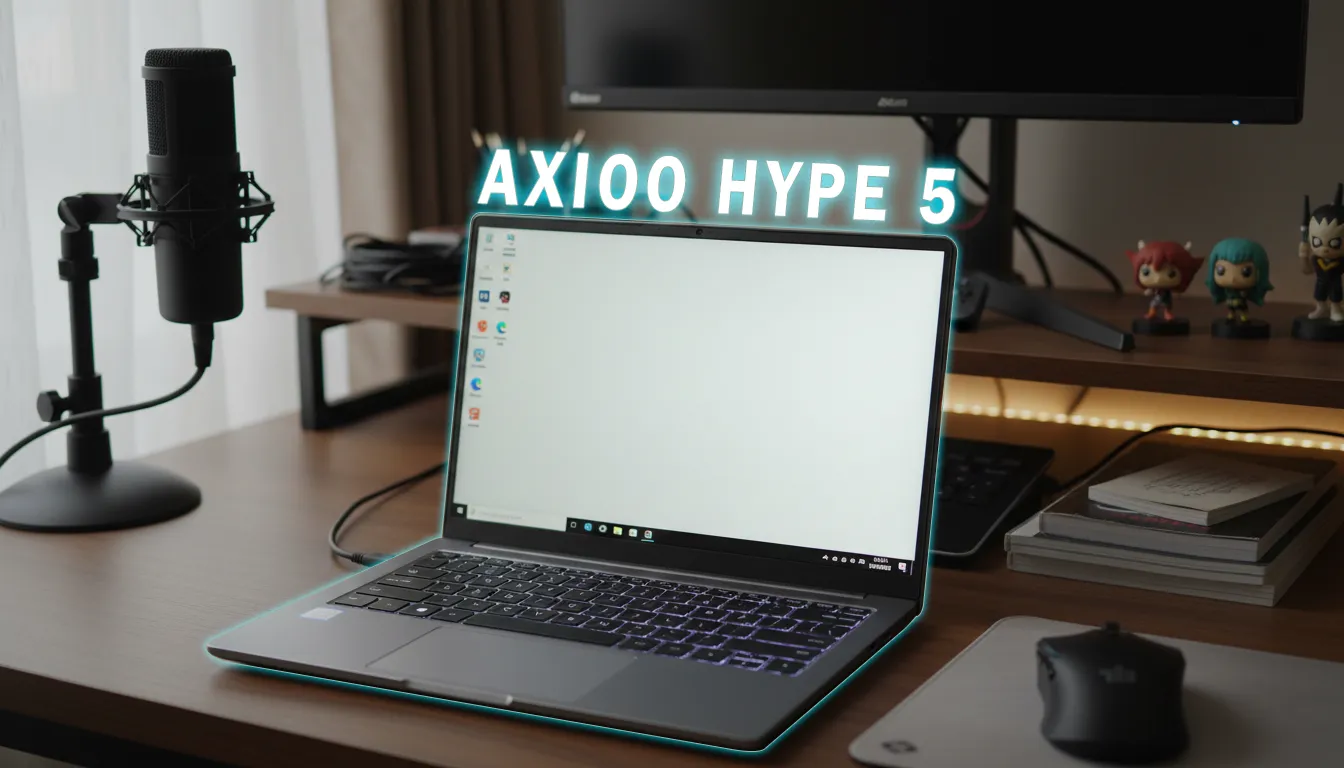
Owning a gaming laptop you can take to meetings, classes, and do light work on all day without plugging in is tempting, but is it realistic? The HyperX Omen 15 comes with a 70Wh battery and a video playback test result of 10 hours 30 minutes in Balance mode. The challenge: daily activity isn’t just offline watching. There’s Wi‑Fi, camera-on meetings, multitasking, even occasional compiles or exports. Here we break down how far “all day” can really be achieved, including when it’s best to switch to Hybrid or Integrated Only to save power.
Editorial Verdict
A synthesis of gadget reviewer opinions highlighting key strengths and trade-offs.
A 15-inch gaming laptop that sips power when you’re taking it easy, yet is ready to roar when needed.
Best for:
-
Students/office workers who want a 2.5K 180Hz display but also mobility without being plugged in all the time
-
Users who regularly attend online meetings and do Office + browsing
-
Light content editors who occasionally export short 1080p/4K videos
Not ideal for:
-
Gamers who often play heavy AAA titles on battery
-
Users who want dual-channel RAM out of the box
Final verdict: With the right settings, the HyperX Omen 15 can get through a school/office day without a charger; for heavy work, have the adapter ready.
| Specifications | Details | Explanation |
|---|---|---|
| Battery | 70Wh; 1080p video test reached 10 hours 30 minutes (Balance, Auto, 150 nits, 25% volume, default settings) | Gives a picture of the upper bound of efficiency under light load without heavy interaction. |
| GPU Modes | Integrated Only and Hybrid (Omen Gaming Hub) | Determines whether only the iGPU is active or switching is managed dynamically for heavier graphics. |
| Display | 15.3" IPS, 2560×1600, 180Hz, 500 nits (measured 520 nits), 100% sRGB | High refresh smooths motion but can increase power consumption. |
| Processor | AMD Ryzen 5 240 (6C/12T, 45W, Zen 4) + Ryzen AI NPU | Smooth multitasking; the NPU assists Windows Studio camera features. |
| Discrete GPU | GeForce RTX 5050 Laptop, 8GB GDDR7 (Blackwell) | Built for gaming/creation; engaging the dGPU affects consumption. |
| Connectivity | Realtek 8852BE (Wi‑Fi 6, BT 5.2) | Wi‑Fi being always on adds a small but constant draw. |
| Weight | 2.22 kg; adapter 336 g (carry total ±2.56 kg) | Still fits a daily bag without feeling excessive for a 15-inch gaming laptop. |
| Charging | 51% in 30 minutes; full in ±2 hours | Fast charging helps during quick “pit stops.” |
| Price | Rp21.999.000 | Places it in the premium-mainstream 20-million segment. |
70Wh battery test: Under what conditions does that 10 hours 30 minutes happen?
The 10 hours 30 minutes result was obtained from 1080p video playback at 150 nits, 25% volume, Balance mode, Auto fan, and default GPU/refresh settings. This is the lightest and most stable load scenario: no intensive Wi‑Fi, rendering, or dGPU switching. In other words, it’s the upper limit of efficiency for the HyperX Omen 15’s 70Wh battery under light workloads with local content.
A day without a charger simulation: meetings, typing, Wi‑Fi on
In school/office scenarios, usage patterns are more dynamic:
- Morning: 2 hours of typing + browsing with Wi‑Fi on
- Midday: 1–2 video meetings of 30–45 minutes (camera on, mic on)
- Afternoon: spreadsheets, presentations, occasional YouTube, chat, tab multitasking
With a pattern like this, realistic estimates from the above testing experience:
- Light typing/browsing (Integrated Only, brightness ±150–200 nits): close to 8–9 hours cumulative.
- 1080p meeting sessions (camera + mic + Wi‑Fi): estimate 10–15% per 30 minutes, depending on signal conditions and brightness.
- Streaming 1080p YouTube via Wi‑Fi: slightly more power-hungry vs local files.
Keys to get the HyperX Omen 15’s 70Wh battery close to “all day”:
- Activate Integrated Only when mobile.
- Lower brightness to 150–200 nits indoors.
- Disable heavy background apps (game launchers, large updates).
- If you don’t need ultra-smooth motion, consider lowering the display refresh rate (high refresh tends to increase consumption).
When to use Integrated Only vs Hybrid in Omen Gaming Hub?
- Integrated Only: use it for Office, browsing, light coding, online meetings. The Radeon 760M iGPU is sufficient, consumes less, and avoids waking the dGPU, which is power-hungry.
- Hybrid: enable it when opening apps that leverage the dGPU (video editing with GPU effects, 3D design, or starting a gaming session). This mode gives performance flexibility, but expect the battery to drop faster.
Note: Omen Gaming Hub provides these two options; switching before opening heavy apps helps the system avoid frequent GPU handoffs.
180Hz refresh rate and its impact on battery
A 180Hz panel feels smooth, but for documents/meetings, 60–120Hz is usually enough. Lowering the refresh rate typically trims power draw, especially when the iGPU is at work. Save 180Hz for plugged-in sessions or when you need extra fluidity.
Performance stays strong, temps stay cool — but there are trade-offs
According to the reviewer on the source YouTube channel, performance is stable in Balance mode: Cinebench R23 loop holds around 11,900–12,500 points with CPU temps of 77–82°C. A 5-minute 4K60 Premiere export finished in 6 minutes 5 seconds; DaVinci 4K60 5-minute export in 11 minutes 40 seconds. GPU temps during a Time Spy stress test are around 60°C and in gaming 58–61°C, with the keyboard surface staying cool.
Mobility trade-offs:
- Stock 16GB DDR5-5600 RAM is still single-channel; iGPU performance and certain efficiencies can be better if upgraded to dual-channel.
- Performance modes are only Eco and Balance; granular controls are limited, though fans can be set to Auto or Max and there’s a Fan Cleaning feature.
51% charge in 30 minutes: what it means for mobility
A half-hour lunch break can add about 50% battery. From empty to full takes around 2 hours. For mobility: rely on quick top-ups between activities so the afternoon stays safe even with an extra meeting session or long streaming.
Positioning in the 20-million segment: who are the competitors?
At Rp21.999 million, the HyperX Omen 15 meets popular lines such as certain Asus TUF/ROG entries, Lenovo LOQ/entry Legion variants, Acer Nitro, or MSI Cyborg/Katana in Indonesia. Many focus on maxed-out performance, but not all chase mobile efficiency. The Omen 15’s selling points here: a clear Integrated Only option, a 2.5K 180Hz panel that can be “dialed down” to save power, and cool operating temperatures.
Who it fits, who it doesn’t, and key trade-offs
- Fits: students/office workers who spend 70% of the day on Office/browsing/meetings, want a sharp display, and want to plug in less often.
- Doesn’t fit: mobile AAA gamers who want high fps for hours on battery, or those who demand dual-channel out of the box.
- Trade-off: power savings require disciplined settings (Integrated Only, moderate brightness, reduced refresh). When you need the dGPU, performance goes up, battery drops faster.
TL;DR
With light scenarios and power-saving settings, the HyperX Omen 15 with a 70Wh battery can get through a school/office day. Once the dGPU and 180Hz refresh are often active, have the adapter ready.
GizmoKita Verdict: Worth Buying or Not?
Worth buying for those seeking a 15-inch gaming laptop that can live in “two worlds”: frugal at work, fast when plugged in. Added value: 2.5K 180Hz display, cool temps, fast charging. Remember to consider upgrading RAM to dual-channel.
Comparable alternatives
- Asus TUF/ROG entry-level 15-inch
- Lenovo LOQ/early Legion variants
- Acer Nitro V/5
- MSI Cyborg/Katana (As comparisons for performance-first vs mobile-efficiency orientation in the 20-million class.)
FAQ
Can 10 hours 30 minutes be achieved during online meetings?
No, because that test excludes camera/Wi‑Fi-intensive loads. For 1080p meetings, estimate 10–15% battery per 30 minutes depending on conditions.
Which is more power-efficient, Integrated Only or Hybrid?
Integrated Only. Use Hybrid when opening apps that require the dGPU.
Does lowering the refresh rate have a real impact?
Yes. For daily work, lowering the refresh rate typically helps reduce power draw.
Do you need to change fan settings to save battery?
Auto is sufficient for light work. Max is better for high performance while plugged in.
Do you need to carry the charger every day?
If your activity is mostly Office/browsing/short meetings and power-saving settings are enabled, you can go without. For heavy/extra agendas, bring the adapter as insurance.
Written by GizmoKita — a no-drama gadget buying guide, focused on decisions.
Enjoy this content? Support GizmoKita so we can keep making the best gadget review summaries for you 💙
❤️ Support UsSource: Jagat Review