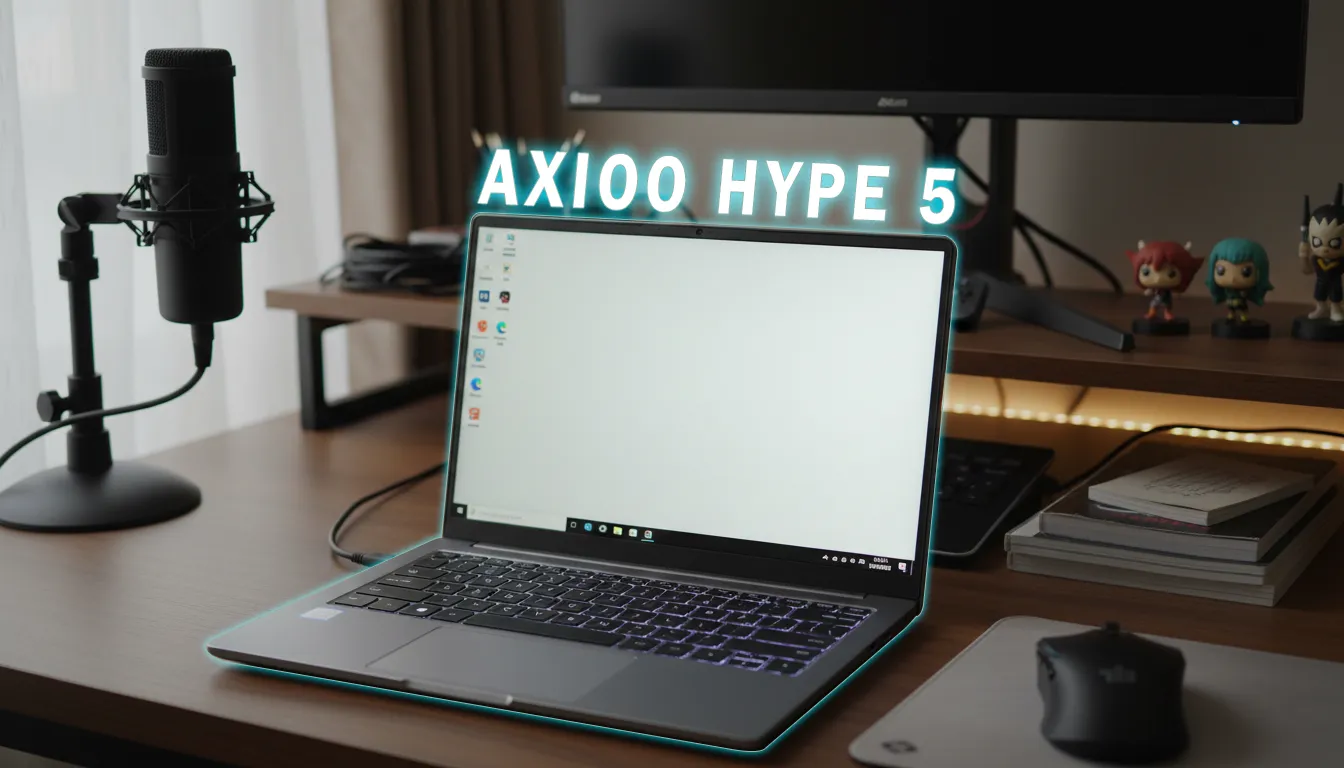
Confused about choosing an around-20-million-IDR gaming laptop that’s safe for daily use, tidy on a work desk, and still easy to bring to meetings? The HyperX Omen 15 (2026) comes with 2-year ADP, rear HDMI 2.1 + USB‑C PD, 2.22 kg weight, and a battery lasting up to 10.5 hours of video. On the other hand, the Lenovo LOQ 2026 is usually appealing thanks to broad SKU options and a sturdy entry-gaming-style chassis. The question: with your current needs, HyperX Omen 15 vs Lenovo LOQ 2026—which makes more sense?
Editorial Verdict
A synthesis of gadget reviewer opinions highlighting key strengths and trade-offs.
The Omen 15 stands out with peace-of-mind coverage (2-year ADP), tidy cable management, and battery life, while the LOQ tends to win on the breadth of configuration options.
Best for:
-
Users who want two-year incident protection without buying add-on packages
-
Work desks that need rear I/O to keep cables tidy
Not ideal for:
-
Users who want dual-channel RAM out of the box
-
Shoppers seeking the widest possible SKU options (varied CPU/GPU/display)
Final verdict: Pick the Omen 15 for a safe-to-carry and tidy-to-use package; choose the LOQ if you’re chasing configuration flexibility and don’t mind adding warranty services.
| # | Product | Price (est.) | Key Advantages | Best for |
|---|---|---|---|---|
| 1 | HyperX Omen 15 (2026) | Rp21.999.000 | 2-year ADP; rear HDMI 2.1 + USB‑C PD; 10.5-hour video battery; 2.22 kg weight; low‑profile design | Users who want a gaming laptop that’s safe, tidy, and still professional at the office |
| 2 | Lenovo LOQ 2026 | Varies by SKU | Typically wide CPU/GPU options; sturdy chassis; some rear ports; optional Premium Care/ADP services | Buyers chasing broad spec variants and daily value |
In the ~IDR 20M class, who are the direct competitors?
This segment is crowded: lines like LOQ, TUF/Nitro, and other entry‑mid gaming series compete on 1080p–2K performance and still‑portable chassis. This article narrows in on HyperX Omen 15 vs Lenovo LOQ 2026 because both are realistic buys in Indonesia and carry a “gamer yet still office‑appropriate” image.
What stands out right away from the Omen 15?
According to testing in the source video, the Omen 15 2026 brings a rarely complete package at this price:
- Official 2-year warranty plus 2-year Accidental Damage Protection. ADP can be claimed once per year as long as repair costs don’t exceed the laptop’s price.
- Rear “desk‑saving” ports: USB‑C 10Gbps with Display Output, HP Sleep & Charge, USB Power Delivery 3.1, plus HDMI 2.1. Display and USB‑C charger cables can run to the back to keep the desk clean.
- 2.22 kg weight; 336 g adapter. Total carry weight is 2.56 kg—still reasonable for a gaming class.
- Battery lasts 10 hours 30 minutes (1080p video playback, 150 nits). Rare for a gaming laptop.
- Low‑profile design: black colorway, dark HyperX logo, still appropriate in meetings.
The 15.3-inch IPS 2.5K 180Hz 100% sRGB display also measures bright: 520 nits, 99.1% sRGB coverage (111.1% volume). For e‑sports, scrolling, and creative content, this panel feels “do‑it‑all.”
HyperX Omen 15 vs Lenovo LOQ 2026: which is more practical to carry?
- Mobility: The 2.22 kg Omen 15 is backpack‑friendly. The latest LOQ generations are typically 2.4–2.6 kg, depending on materials and battery (AI knowledge).
- Endurance: The Omen 15 hits 10.5 hours of video. LOQ in this class is generally 5–8 hours for light scenarios due to tuning and variable battery capacities (AI knowledge).
- Cables and ports: The Omen puts HDMI 2.1 + USB‑C PD on the back. LOQ also tends to place some I/O on the rear for a tidy setup, but USB‑C PD support can depend on the SKU (AI knowledge).
If you often move between meeting rooms or classes, the Omen 15 offers a combination of weight, battery, and rear ports that makes life easier.
Warranty and after-sales: Omen 15’s added value
A concrete differentiator: 2-year ADP included. For mobile use—bag drops, spills—ADP is relevant. In the LOQ ecosystem, Premium Care and ADP are generally optional or bundled with certain promos (AI knowledge). If you don’t want the hassle of adding protection packages, the Omen 15 is simpler.
Key details:
- 2-year ADP from HP Indonesia
- Claimable once per year, with a cap equal to the laptop’s value
Performance and thermals: fast yet cool to use
In Balance mode, Cinebench R23 loops are stable at around 12K points. Blender GPU render is 7 minutes 7 seconds, Premiere 4K60 export around 6 minutes 5 seconds, and DaVinci 4K60 around 11 minutes 40 seconds. GPU temperature in the Time Spy stress test stays around 60°C; after 30 minutes of Cyberpunk 2077, CPU is 50–51°C and GPU 58–61°C. Keyboard surface stays under 34°C. This means long gaming/creation sessions feel comfortable.
LOQ 2026 performance will heavily depend on CPU/GPU SKU (AI knowledge). If you want a high baseline of performance with very tame thermals, the Omen 15 data from the source video is convincing.
Keyboard, audio, and daily-use touches
- Hyper Action keyboard with a claimed 8000 Hz polling rate (0.125 ms latency) feels responsive without being noisy, 26-key rollover, and 4-zone RGB—great for both gaming and typing.
- Speakers are tidy but not the loudest; mids–highs dominate, bass is thin. A headset is still recommended.
- 12.5×8 cm touchpad with palm rejection, plus edge gestures for brightness/volume, helps in non‑gaming workflows.
Omen 15 trade-offs
- 16 GB DDR5-5600 RAM is still single‑channel. Upgrading to dual‑channel 32 GB is recommended for heavy creative/AI apps.
- Performance modes in Omen Gaming Hub are only Eco and Balance, but fan speed can be adjusted (Auto/Max) and there’s a Fan Cleaning feature.
- The screen can’t open flat to 180 degrees yet.
So, which should you choose?
- Choose the Omen 15 if you prioritize two-year incident protection with no extra cost, a tidy desk thanks to rear ports, long battery life, and a low‑profile chassis that’s safe to bring to the office.
- Choose the LOQ if you want broad spec options and are fine with add‑on warranty services that are typically optional (AI knowledge).
TL;DR: HyperX Omen 15 vs Lenovo LOQ 2026—The Omen leads in 2-year ADP, comprehensive rear ports, weight, and battery; the LOQ leads in SKU options and a chassis character familiar in the entry‑gaming segment (AI knowledge).
GizmoKita Verdict: Worth Buying for the Omen 15 if your priorities are “safe to carry, tidy to use, and still cool when pushed.”
Comparable alternatives in Indonesia: ASUS TUF, Acer Nitro, MSI Katana—compare weight, battery, and warranty package before deciding.
FAQ
Can the Omen 15 be charged via USB‑C?
Yes, the rear USB‑C port supports USB Power Delivery 3.1—handy for top‑ups with a compatible PD adapter.
What’s the difference between ADP and a standard warranty?
ADP covers incidents like drops/spills (terms apply), while the standard warranty focuses on product defects.
Can the Omen 15 be used for 4K editing?
Yes; from the source video, a 5‑minute 4K60 Premiere project exports in about 6 minutes.
Does the LOQ 2026 have USB‑C PD?
Depends on the SKU; not all LOQ variants support PD over USB‑C (AI knowledge).
Do I need a RAM upgrade?
Recommended to go dual‑channel 32 GB for creative/AI apps to optimize memory bandwidth.
GizmoKita: helping you shop for gadgets with peace of mind—clear data, honest trade-offs.
Enjoy this content? Support GizmoKita so we can keep making the best gadget review summaries for you 💙
❤️ Support UsSource: Jagat Review