
Initial Information You Need to Know Before Deciding
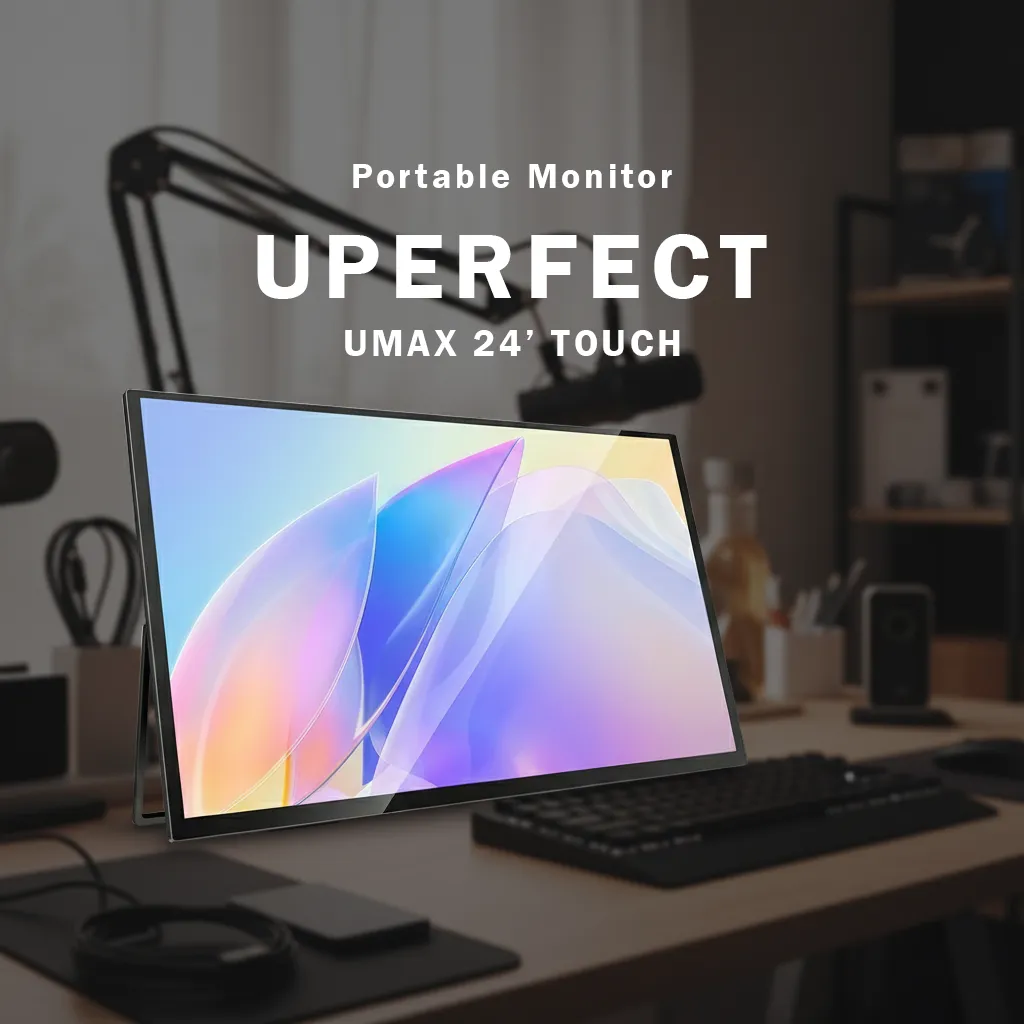
The Uperfect UMAX24 Touch is a large portable monitor—24.5 inches—with a 2K resolution (2560x1440), IPS panel, refresh rate of up to 165Hz via USB-C, plus a 10-point touchscreen. Weighing about 2.5 kg, it supports VESA 75x75 and is generally sold as a package with a bag and cables (USB-C and HDMI). Its design is slim with a minimalist bezel and a glossy screen finish.
This article summarizes reviews from various Indonesian reviewers to help potential buyers weigh the value, context of use, and compromises before purchasing.
Why the 24-inch Size in Portable Monitors is Appealing
In the portable monitor market, common sizes range from 14 to 16 inches. The introduction of 24.5 inches bridges the need for a wide screen without the commitment of a full desktop monitor. The target is clear: work flexibility, presentations, and light to medium entertainment and gaming, while still being portable and quick to set up in various locations, including being bracketed to a VESA arm.
How Reviewers Evaluate the UMAX24 User Experience
The majority highlight the combination of 2K + 165Hz + touch as key differentiators. They assess:
- Via USB-C, you can get 2K 165Hz along with touch input; via HDMI, the refresh rate caps at 144Hz and the touch function is inactive.
- The IPS panel with wide viewing angles facilitates collaboration and presentations.
- For PC gaming, Adaptive Sync/FreeSync support helps reduce tearing; the response feels agile for casual competitive titles.
Differences in evaluation arise at several points:
- Brightness and HDR: some mention “sufficient for indoor use” and consider HDR more of an additional feature rather than a high-end HDR class. Others find the colors pleasant enough for social media editing, but not for color-critical work.
- Internal audio: some rate the integrated speakers as “sufficient for casual viewing,” while others suggest using external speakers/headsets for consistent quality.
- Portability: the large size offers visual comfort, but some reviewers remind that 2.5 kg plus accessories still demand a special bag and is not at the “slip-in” level like a 15-inch monitor.
Most Praised Aspects: A Rare Combination of Features in Its Class
- The wide 24.5-inch screen facilitates multitasking, editing timelines, wide spreadsheets, and vertical/horizontal content previews.
- The 2K resolution at this size provides sharpness without overly taxing mid-range GPUs.
- The 165Hz refresh rate via USB-C offers flexibility: work during the day, game at night. Suitable for users wanting one screen for two worlds.
- The 10-point touchscreen simplifies Windows navigation, light sketching, and playback control during presentations/entertainment.
- The glossy design provides a contrasty look and a premium feel in well-controlled bright rooms.
- VESA 75x75 opens up setup options: monitor arms, wall mounts, or other creative rigs.
Notes to Be Aware of Before Buying
- The glossy screen easily reflects light; the position of lights and windows needs to be adjusted. In very bright spaces, glare can interfere with dark content.
- The OSD feels basic; important settings are available, but not as deep as enthusiast desktop monitors.
- HDMI limitations: generally 144Hz and without touch; for the full feature package (165Hz + touch), USB-C connection is mandatory.
- HDR is functional, not for cinematic HDR enthusiasts demanding high peak brightness and local dimming.
- “Large” portability: still transportable, but the 24.5-inch size and weight of about 2.5 kg require more logistical commitment compared to 15–17 inch portable monitors.
- Internal speakers meet basic needs, but do not replace external audio for users who care about sound quality.
Selection Guide: Who is Suitable, Who Should Look for Other Options
Suitable for:
- Creative workers and professionals needing a wide canvas on-the-go: light video editors, content designers, data analysts, or presenters.
- Casual PC gamers wanting a portable 2K 165Hz panel for LAN parties, minimalist apartments, or rigs that frequently move.
- Hybrid work-entertainment users needing a touchscreen for quick navigation and interactive presentations.
Less Suitable for:
- Colorists and photographers demanding reference-class color accuracy with strict calibration and serious HDR.
- Users frequently working in very bright rooms or outdoors—the glossy reflection and standard brightness will limit comfort.
- Those prioritizing the lightest weight possible; 15–17 inch portable monitors will be much more practical.
Trade-offs in Purchase Decisions:
- Portability vs size: 24.5 inches offers more productivity and immersion, but mobility is not as practical as a 15-inch screen.
- Full features via USB-C vs HDMI compatibility: the best value appears when the source device supports USB-C DisplayPort Alt Mode.
- Versatility for work + gaming vs specialization: the UMAX24 Touch excels in flexibility, but is not a substitute for premium desktop monitors for color-critical or pro e-sports use.
Final Decision from GizmoKita: Worth Buying for Versatile Needs
If your needs combine wide-screen productivity, touch navigation, and high refresh rates in one portable package, the UMAX24 Touch is worth considering. The best value comes when the source supports USB-C to activate 165Hz and touch. For users focused on pro-level color accuracy or intense outdoor use, consider other more specific options.
Other Options Worth Considering
- 17–18 inch 1080p touch portable monitors: lighter and more compact, suitable for daily mobility, but with a smaller workspace and refresh rates usually at 60–120Hz.
- 24–27 inch 144–165Hz non-portable desktop monitors: often more cost-efficient per inch, richer OSD options and ergonomics, but not mobile.
- Non-touch portable 2K panels: a lower-cost compromise if touchscreen is not a priority.
Finally, Ensure Your Setup and Power Source Support It
Make sure your source device (laptop/PC) has USB-C with DisplayPort Alt Mode to maximize the 165Hz + touch features. Also, prepare a mounting solution (VESA/arm) and room lighting to minimize reflections.
FAQ
Can the UMAX24 Touch reach 165Hz via HDMI?
No. Generally, HDMI is limited to 144Hz and the touch function is inactive. For 165Hz + touch, use USB-C with DP Alt Mode.
Is the screen sufficient for professional color editing?
Some reviewers find the sRGB coverage wide enough and sufficient for digital content, but it is not a substitute for reference monitors for strict color grading.
How portable is this monitor compared to 15–16 inches?
Still portable with the included bag, but the 24.5-inch size and weight of about 2.5 kg require a special bag/space and extra attention during mobilization.
How is the quality of the built-in speakers?
Adequate for casual viewing and calls, but external audio is recommended for those prioritizing sound quality.
Does it support mounting to a monitor arm?
Yes, it has VESA 75x75 compatibility, allowing it to be mounted to compatible arms or wall mounts.
Source: AD Review