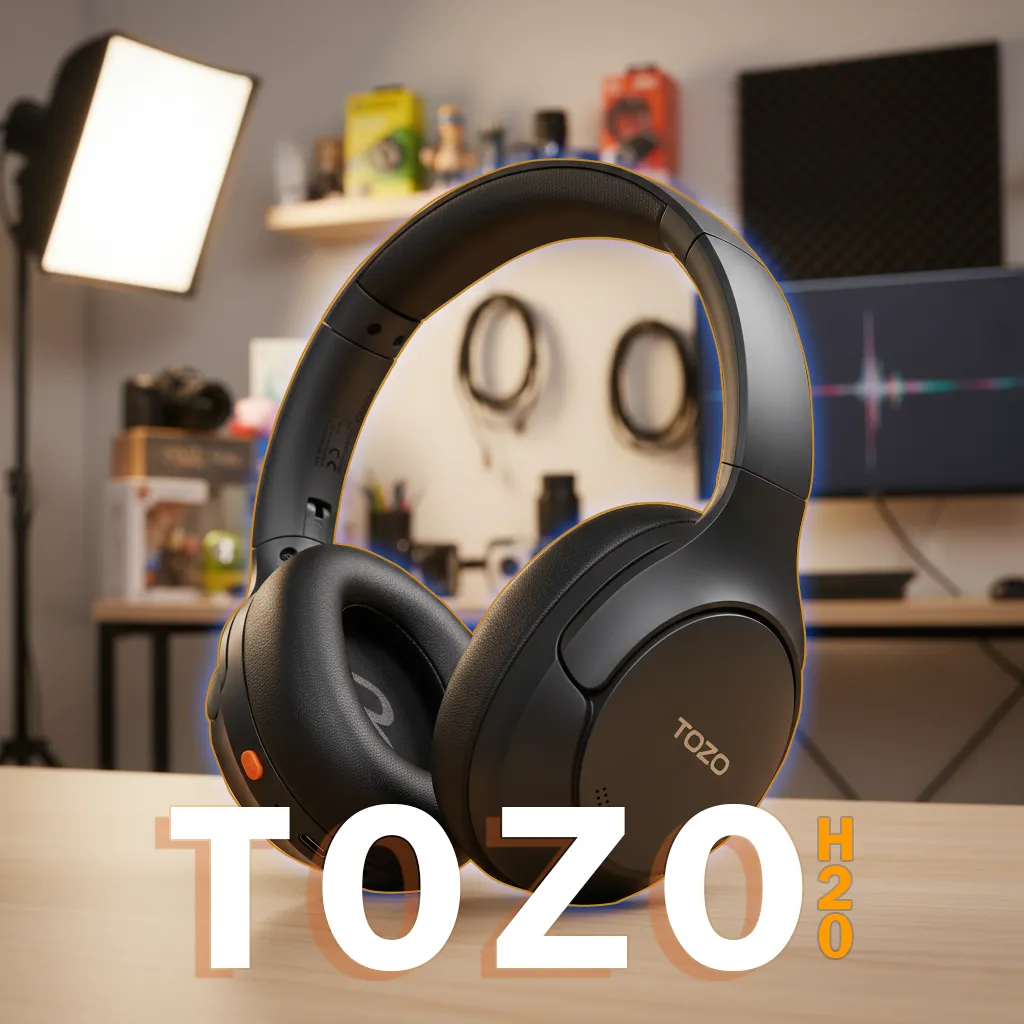
The Tozo H20’s bass feels thick but easily gets muddy, while the very top treble can sometimes sound sharp. If you want to keep using the H20 without getting tangled in audio theory, the reviewer suggests two core steps: tidy up the mid–sub bass (around 100–200 Hz), and tame the 8–10 kHz sharpness by lowering the 6 kHz and 12 kHz bands in the Tozo app. This article summarizes how to do it, including preset import via EQ Zone and ideal volume tips.
Editorial Verdict
A synthesis of gadget reviewer opinions highlighting key strengths and trade-offs.
This guide focuses on cleaning up the mid–bass and taming the upper treble so the Tozo H20 sounds tidier without losing its punchy character.
Best for:
- H20 owners who want cleaner bass
- Users who want to import ready-made presets via EQ Zone
- Listeners comfortable with moderate–low volume
Not ideal for:
- Those who like very loud volumes
- Shoppers seeking a neutral signature without EQ
Final verdict:
Apply the 100–200 Hz adjustments and the 6–12 kHz trick, then listen at moderate–low volume for the most consistent results.
Quick Reference Table: EQ Points and Core Actions
| Frequency (band in app) | EQ action | Explanation |
|---|---|---|
| 200 Hz | Lower as needed | Reduces mid‑bass buildup so details aren’t masked. |
| 150 Hz | If available, lower slightly | Cleans up the transition from mid‑bass to sub‑bass. |
| 100 Hz | If available, lower slightly | Cuts boominess for a cleaner sound. |
| 20–60 Hz | Optional: fine-trim | Keeps punch without excess in the deepest region. |
| 6 kHz | Lower slightly | Offsets 8–10 kHz sharpness, which isn’t available as its own band. |
| 12 kHz | Lower slightly | Cross-influence to damp the upper-treble sheen tied to 8–10 kHz. |
| Volume | Listen at moderate–low | Keeps treble from getting spicy and the low‑end controlled. |
Check Price & Availability
Buy on tokopedia Buy on shopee*Prices may change at any time according to marketplace policies.
Context: H20 Character and App EQ Limitations
- Default character: elevated mid–sub bass (around 100–150 Hz) so it easily gets muddy; there’s a sharp “spark” at 8–10 kHz.
- App limitation: 8 and 10 kHz bands aren’t available; it jumps from 6 kHz to 12 kHz. The practical workaround is to lower 6 kHz and 12 kHz to influence the area in between.
- Supporting features: LDAC, Dual Device Connection (multipoint), Low Latency/Gaming Mode, and long battery life (up to ±79 hours without ANC; ±55 hours with ANC).
All points above come from the reviewer’s findings on the H20 unit and Tozo app.
Tozo H20 EQ Settings: Core Principles
Two focuses: reduce excess at 100–200 Hz, then reduce 8–10 kHz sharpness by leveraging the 6 kHz and 12 kHz bands.
Tidy up the low-end:
- Prioritize lowering 200 Hz (since the 100/150 Hz bands may not be available in the app).
- If your phone/app provides 100/150 Hz, lower them slightly too.
- Re-listen: stop when vocal/instrument details start to emerge without losing punch.
Lower the upper treble:
- Lower 6 kHz and 12 kHz slightly to affect the 8–10 kHz area.
- Avoid extreme cuts so the sound doesn’t become too warm/veiled.
Volume:
- Listen at moderate–low levels to prevent treble from getting spicy and the low-end from falling apart at higher volumes.
Note: The reviewer also emphasized the H20’s separation is better than the H10, but the mid-bass punch remains dominant; the above settings preserve the punch while tidying up the excess.
Practical Steps to Tune in the Tozo App
- Open the Tozo app and connect the H20.
- Go to the EQ tab. Choose Custom mode.
- Lower the 200 Hz slider as needed.
- If present, lower 150 Hz and 100 Hz slightly.
- Lower 6 kHz and 12 kHz slightly to tame the sharpness at 8–10 kHz.
- Save as a new preset.
Tips to check results:
- Play a track with prominent kick drum/mid-bass (e.g., Kimera – Snarky Puppy).
- Listen to pop vocals with “airy” sections to assess the treble tip.
- Make small adjustments, then test across 2–3 different songs.
How to Import Presets via EQ Zone
The Tozo app provides EQ Zone for user-shared presets.
- Open the Tozo app > EQ Zone.
- Filter device to “Tozo H20”.
- Choose presets from a creator you trust (the reviewer mentioned they will share a preset in EQ Zone).
- Import and apply.
- Listen and make minor tweaks to taste/genre.
EQ Zone benefits:
- A fast starting point without guesswork.
- Still flexible for fine-tuning to your ears and listening volume.
Volume Tips and Daily Testing
- Moderate–low volume gives the most stable results for the H20.
- At loud volumes, treble can feel spicy and low-end separation may fall apart.
- Test in several scenarios: quiet room, vehicle, and office with ANC on to ensure the settings stay consistent.
GizmoKita Insight
- Good for: H20 users who want a cleaner sound without changing the punchy character; listeners who enjoy experimenting via EQ Zone.
- Not ideal for: high-volume listeners reluctant to lower treble; seekers of a neutral character without EQ.
- Trade-off: excessive low-end cuts are clean but can reduce the slam that defines the H20; overly aggressive 6/12 kHz reduction can strip away upper sparkle.
Quick Summary (TL;DR)
- Lower 200 Hz (priority), then 150/100 Hz if available.
- Tame the top end by slightly lowering 6 kHz and 12 kHz.
- Listen at moderate–low volume.
- Use EQ Zone to import a preset as a starting point, then fine-tune.
GizmoKita Verdict: Worth Buying or Not?
If you already own the H20, the above EQ settings are an effective way to address muddiness and treble sharpness without removing the punchy character. For new buyers who want a neutral default tuning without EQ, first consider your preference for bass.
Alternatives/Other Options (optional)
- Earfun Tune Pro — Slightly stronger ANC seal; sub-bass feels deeper; 8 kHz band is available in the EQ for sibilance adjustments.
- Soundpeats Space Pro — Treble feels smoother; earpads are not officially sold; also supports USB‑C wired mode.
FAQ
Why does the Tozo H20’s bass sound muddy?
According to the reviewer, the 100–150 Hz region is elevated and masks detail; reduce 100–200 Hz in the EQ to tidy it up.
How do I address the sharp 8–10 kHz treble if that band doesn’t exist in the app?
Lower 6 kHz and 12 kHz slightly to cross-influence the 8–10 kHz area.
Are there ready-made presets for the H20?
Yes, in the Tozo app’s EQ Zone; filter to Tozo H20 and import community/creator presets.
What volume is ideal after EQ?
Moderate–low, so the treble doesn’t get spicy and the low-end stays controlled.
Do I need to enable LDAC before setting the EQ?
Not required, but the H20 supports LDAC; enable it if you want maximum codec quality, then fine-tune the EQ to your ears.
Closing
Start with a 200 Hz cut, then tidy the top edges at 6–12 kHz, and check at moderate–low volume. With EQ Zone as a starting point, the H20 can sound cleaner without losing the punch that defines it.
Source: Fernanda Gunsan